Unit Settings
Corva unit preferences can be managed at the company, user, and dashboard levels. The most specific available setting is applied: dashboard, then user, then company.
Company settings
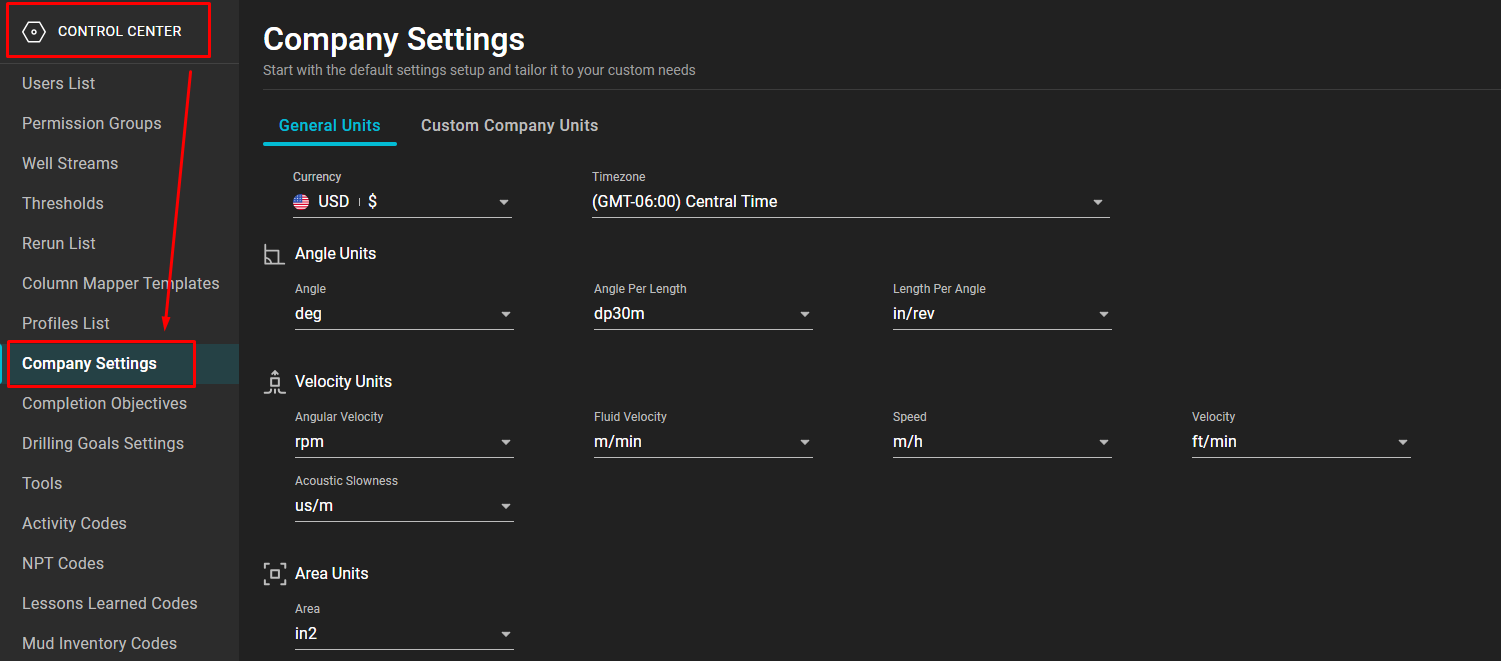
Company administrators can set the default unit system and custom company units in Control Center → Company Settings. These defaults apply when a user or dashboard does not provide a more specific preference.
User settings
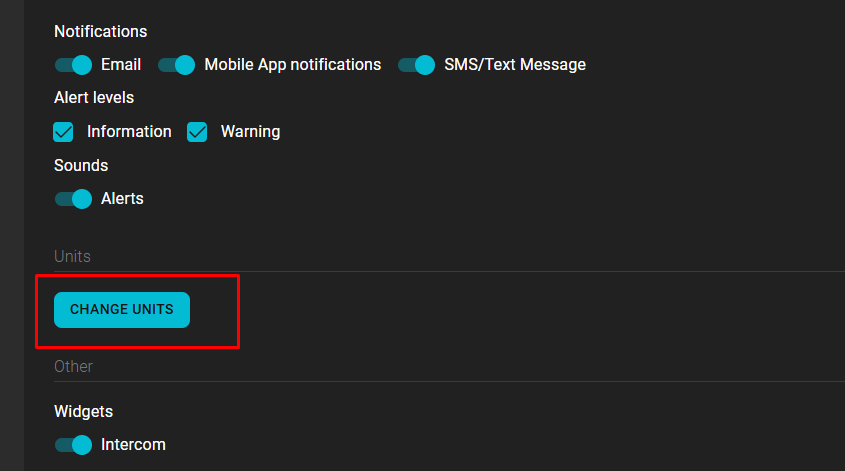
A user can open User Profile → Change Units to override the company defaults for their own work.
Dashboard settings
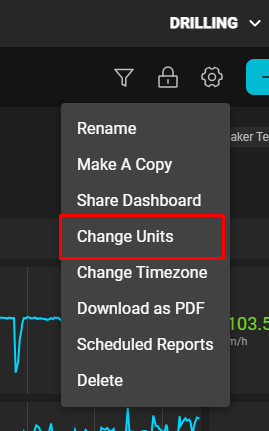
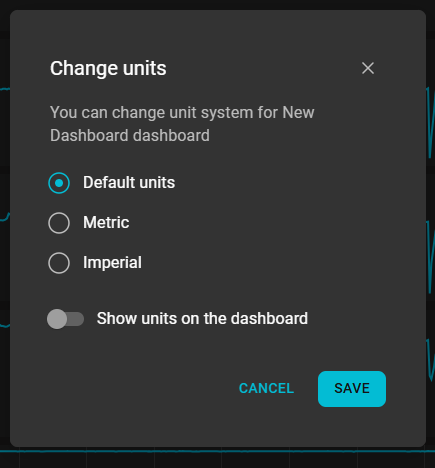
Open a dashboard's settings and select Change Units to configure that dashboard. Depending on the dashboard, the available choices include Default, Metric, and Imperial, plus an option to show unit labels.
Frontend app development
If you are building an app, see Units in Corva for the display model and supported options, then Converting Units for current @corva/ui examples. Those pages are the canonical developer guide; frontend apps should not reproduce preference precedence themselves.